

Cloud Computing
published : 15 February 2017
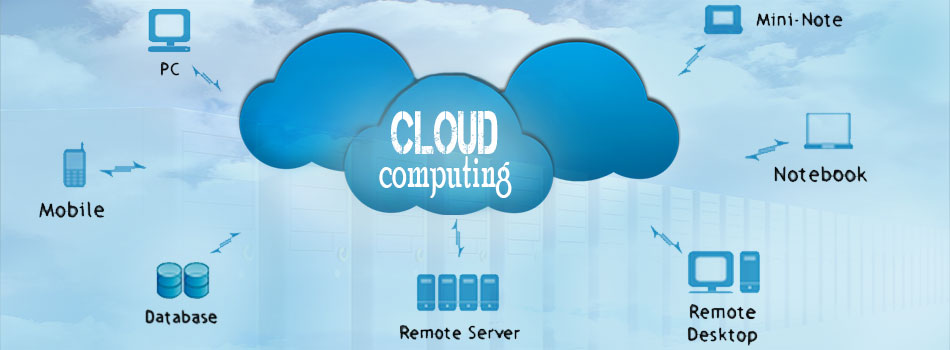
Doesn’t it feel different and somehow awed when you hear “Cloud Computing”. On one hand there’s cloud, which gives a fluffy, cuddly soft impression on the other hand there’s computing which implies a rough and boring thing. Then what exactly is the relation between cloud and computing? Well, the way the clouds in sky are spread all over beyond our reach, the internet is also spread in quite a similar manner, but more like a web.
Cloud computing was introduced to make the maximum use of computer with the least expense possible. The practice of using a network of remote servers hosted on the Internet than a local server or a personal computer- is known as cloud computing.
In cloud computing, the users can upload any software including their own application software in any specific online location, and store those important files in that location. Now, even when these users won’t be using their own computers, they would still have access to those software and files through another computer just by logging in. Actually, we’ve been using this cloud computing for a long time, with or without our knowledge.
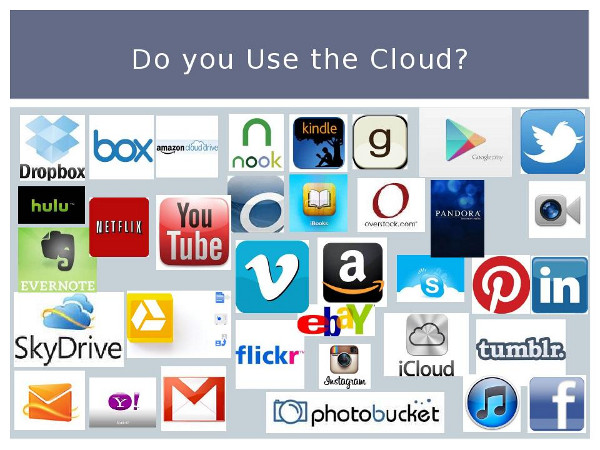
For example, when we use, yahoo, gmail or hotmail we don’t need a separate email program. All we need is an internet connection. If we have the internet connection and an email account, we can use that through any suitable device. We never have to worry about where or how our emails are being preserved or saved. And cloud computing is expected to rule the next information age. And that’s exactly why, all the big companies like Microsoft, Google, Yahoo, Amazon, VMware are making huge investments and moving towards cloud computing.

How can we use cloud computing to store data:
- Log in from any computer that has internet connection
- If you don’t have a login id then create an account with user name and password
- Download the cloud based app. e.g. Copy, SkyDrive, DropBox, Google Drive etc.
- In order to save the file, keep it in the respective app, and it would sync right away, if you have the internet connection.
- And then you’d be able to use that from any device (computer, mobile or tablet).
The cloud is divided into 3 parts, depending on the services it provides
- Infrastructure-as-a-Service (IaaS)
- Platform-as-a-Service (PaaS)
- Software-as-a-Service (SaaS)
Benefits of Using Cloud
There are many benefits of cloud computing. The computing speed is way faster than normal computer. The users would get the same interface, when using it through another's computer, which makes it easier to share files, software, resource and information. This technology has reduced the runtime of the user's applications. Other than that, cloud computing is certainly a cheaper and affordable technology.
Disadvantages of cloud computing
When you keep something in cloud,
- There’s a chance of breach of privacy.
- There’s a possibility of the change in the information kept there
- There’s lack of safety of the information
- There’s a risk of information or secret being exposed
Nevertheless, nowadays, every organization creates the cloud version of their software.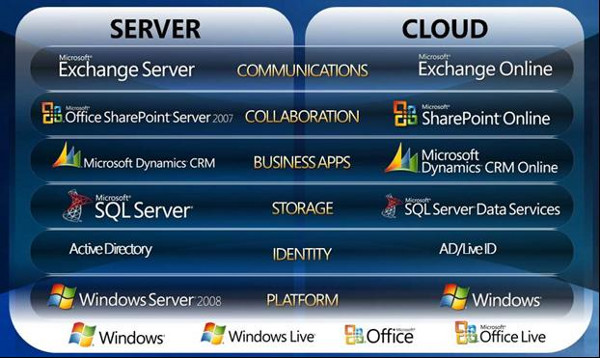
more related content